Fake ChatGPTConversation Generator
SnapKit.ai lets you type any ChatGPT conversation, customize the chat UI, and export a pixel-perfect screenshot as a PNG — free, no account required. Try the free ChatGPT screenshot generator to create a fake ChatGPT screenshot: enter your messages, choose light or dark mode, and export in under 60 seconds. Marketers use SnapKit.ai to build scroll-stopping Facebook ads, viral social media content, and client demos with pixel-perfect ChatGPT mockups.
What is a fake ChatGPT conversation generator?
A fake ChatGPT conversation generator is an online tool that lets you create realistic-looking ChatGPT chat screenshots without using ChatGPT itself. You type both the user message and the AI response, customize the interface, and export the result as a high-resolution PNG image. SnapKit.ai is a free fake ChatGPT generator built for marketers and advertisers.
People create fake ChatGPT screenshots for a wide range of purposes: content marketers use them to illustrate AI-powered workflows, educators embed them in slides to explain language model behavior, social media managers craft native-looking posts that stop the scroll, and advertisers build high-converting ad creatives without unpredictable live AI responses. The common thread is control — you write exactly what you need and get a clean, shareable image in return.
What are fake ChatGPT screenshots used for?
Whether you’re building ads, creating content, or running client demos, a well-crafted fake conversation screenshot is one of the most versatile assets you can produce. You can even use fake ChatGPT screenshots for ads to boost engagement on paid campaigns.
Facebook & Instagram Ads
AI conversation-style ads can be highly engaging because they look native and quickly communicate the outcome. Use SnapKit to build ChatGPT screenshot ads without needing a real AI response.
Social Media Content
Show your audience how AI can solve their problems using realistic ChatGPT conversation mockups. Perfect for LinkedIn posts, Twitter/X threads, and TikTok content.
Client Presentations & Demos
Demonstrate AI capabilities or product features with clean, professional ChatGPT interface mockups — without live dependencies or unpredictable responses.
Content Marketing & Blogs
Create educational content and blog post visuals using controlled ChatGPT conversation examples that always say exactly what you need.
How to create a fake ChatGPT screenshot
Three steps, under a minute. Read the full step-by-step guide for advanced options.
Write your conversation
Type your prompt and craft the perfect ChatGPT response. Make it say exactly what you need for your ad or post.
Customize the look
Choose light or dark mode, adjust the model name, and fine-tune the layout to match real ChatGPT’s interface down to the pixel.
Export and use anywhere
Download your fake ChatGPT screenshot as a high-resolution PNG — ready to drop into ads, decks, social posts, or anywhere else.
Fake ChatGPT screenshots in action
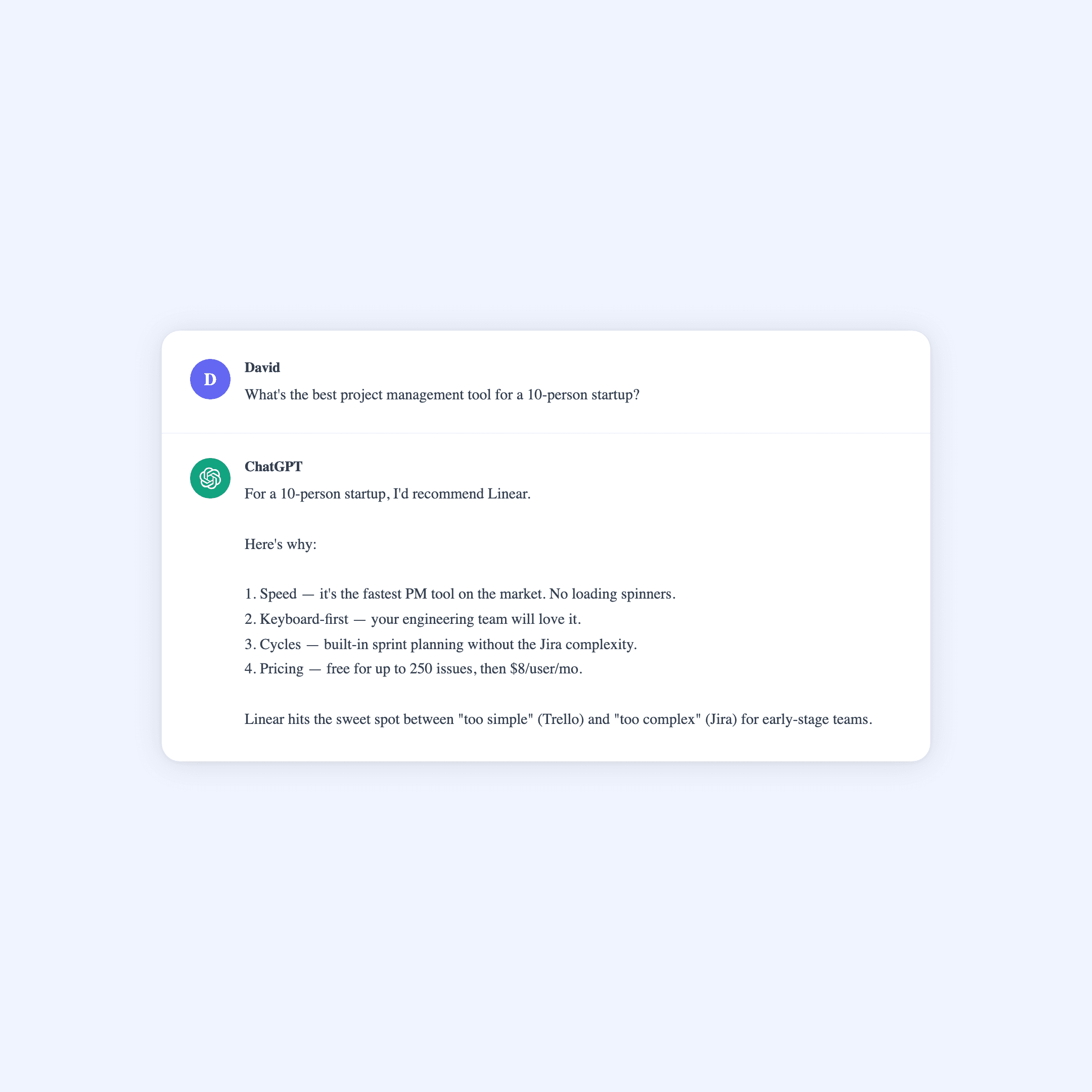
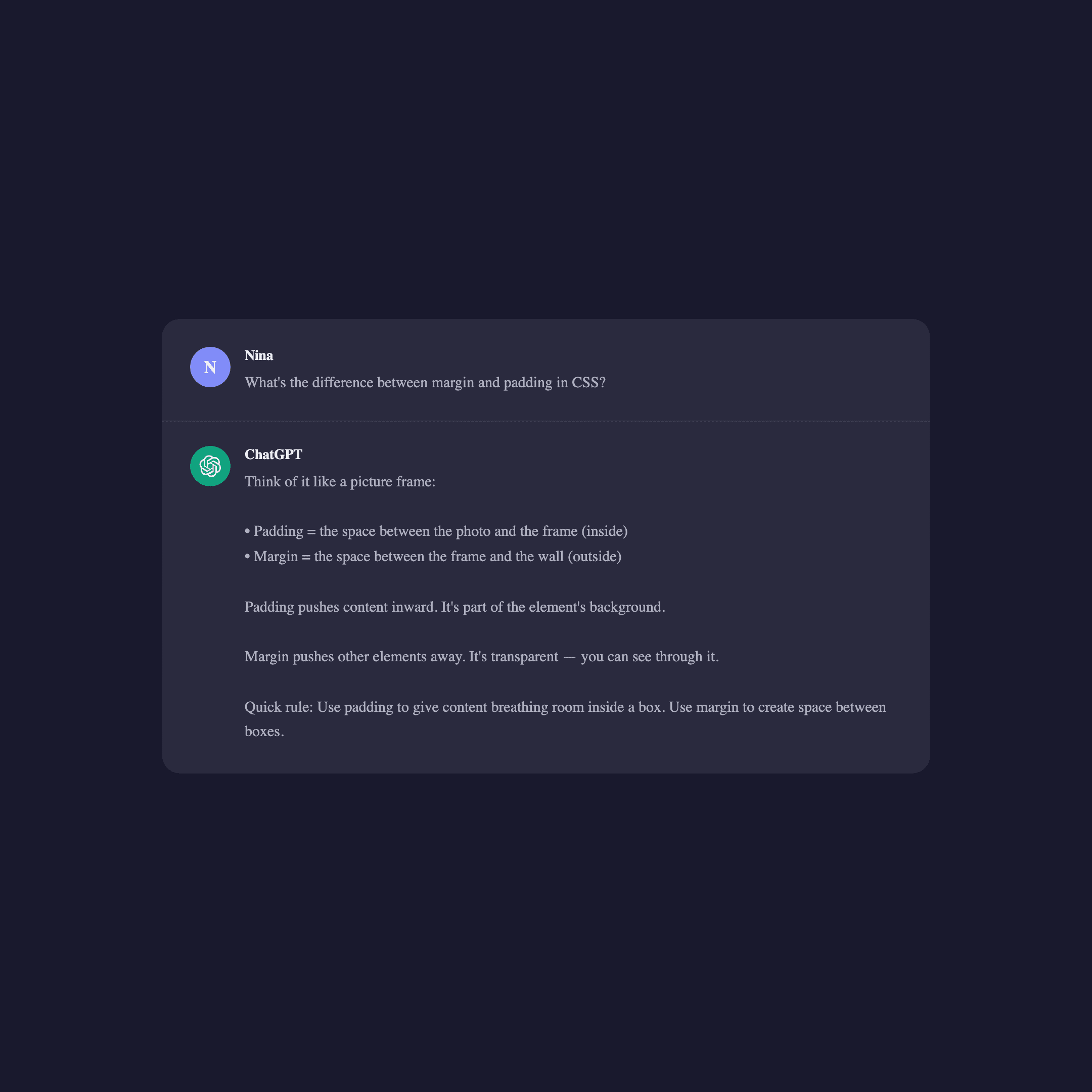
Real output from SnapKit. Each image was generated from a simple JSON request — no editing, no cropping, ready to publish.
Frequently asked questions
A fake ChatGPT conversation generator is a tool that lets you create realistic ChatGPT chat screenshots by typing both sides of the conversation and exporting the result as a PNG image. You control every word — the user prompt and the AI response. SnapKit.ai is a free fake ChatGPT generator built specifically for marketers and advertisers who need pixel-perfect AI chat visuals for ads and content.
Requirements for ChatGPT-style mockups vary by platform, jurisdiction, and how the asset is presented. SnapKit images are simulated screenshots, not actual ChatGPT outputs. Review the applicable platform policies and legal requirements before publishing, and disclose mockups where that distinction matters.
Yes. Many teams use ChatGPT-style screenshots on Facebook, Instagram, and TikTok to create native-looking creative. SnapKit lets you craft the exact conversation your ad needs — no live AI and no unpredictable responses.
SnapKit gives you full control over every message, pixel-perfect visual accuracy, and instant high-resolution exports — without needing a ChatGPT account. Real ChatGPT screenshots depend on unpredictable AI responses, require an active subscription, and often need manual cropping or editing before they are usable in ads or content.
Yes. SnapKit supports both light mode and dark mode, accurately matching ChatGPT’s current interface design in both themes. You can toggle between modes before exporting, so your screenshot matches the visual style you need for your ad or post.
Yes. SnapKit's anonymous demo requires no account and produces a watermarked PNG. API access is currently invite-only while SnapKit is in private beta.
Yes. With SnapKit you write both sides of the conversation, giving you complete control over the user prompt and the AI response. This makes it ideal for marketing content, client demos, and educational examples where you need a specific, predictable AI output every time.
Create your first screenshot free
Type any ChatGPT conversation, export a pixel-perfect PNG. No account needed.