iMessage Screenshot Generator
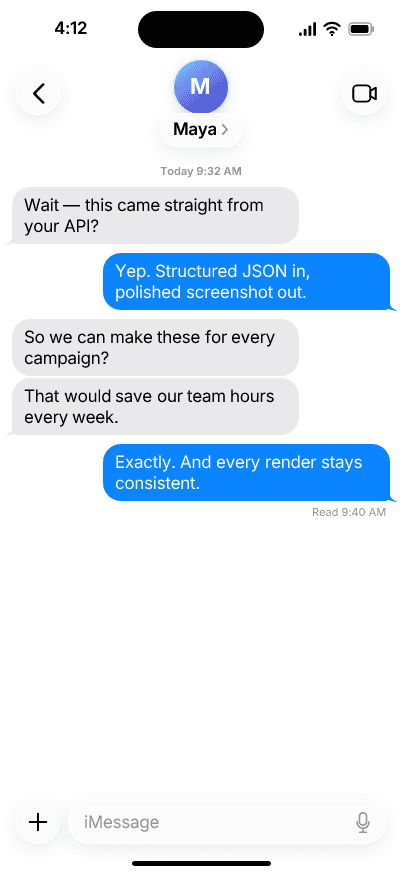
Build familiar Messages conversations without staging them on a phone. Edit every bubble, set the time, switch themes, and export a polished PNG.
Free to try · No account required · API-ready
Conversation control
Add and rewrite up to 12 incoming or outgoing text bubbles.
Phone-level details
Control the status-bar time, light or dark appearance, and the final receipt.
Repeatable rendering
Use the browser tool for one-offs or the API for consistent creative at scale.
Try it now
Build your conversation
Change the sample below, then generate a real preview with the same Messages template available through the API.
Three steps
From dialogue to PNG
- 01
Write the conversation
Add incoming and outgoing messages, then edit every bubble in place.
- 02
Set the phone details
Choose the time, light or dark appearance, blue or green bubbles, and a final delivery receipt.
- 03
Generate the screenshot
Render a polished PNG for a campaign, product mockup, presentation, or automated workflow.
For developers
Conversations from JSON
Keep the content dynamic and the visual treatment stable. Use the Messages template through SnapKit's stable catalog-driven render API.
Explore the API{
"content": {
"contact": { "name": "Maya", "initials": "M" },
"statusBarTime": "4:12",
"service": "imessage",
"messages": [
{ "sender": "incoming", "text": "Did the launch page ship?" },
{ "sender": "outgoing", "text": "Yep — it is live now.", "status": "read" }
]
},
"appearance": "light",
"output": { "profile": "instagram-square" }
}Questions
Messages generator FAQ
You can edit the contact name, phone time, appearance, message service, incoming and outgoing bubbles, and the delivery or read status on the final outgoing message.
Yes. Choose iMessage for blue outgoing bubbles or SMS for green outgoing bubbles. Incoming messages keep the familiar neutral bubble treatment.
The browser tool is free to try without an account. Free previews include a SnapKit watermark; account plans support production use, watermark-free exports, and API access.
Yes. Send structured JSON describing the contact, phone state, and message bubbles to the SnapKit render API and receive a consistent PNG back.
Not in the first release. V1 focuses on accurate one-to-one text conversations, including themes, bubble colors, times, and delivery receipts.
You can use original fictional mockups in creative work. Do not impersonate real people or present fabricated conversations as authentic evidence, and label simulated content when the context could mislead someone.
More Screenshot Generators
Create the conversation you need, then render it anywhere.
Use fictional conversations responsibly. Never impersonate a real person or present fabricated messages as genuine evidence.